
Induct & Train Release 26.1: Scheduled Forms and Automated Archiving
The latest release 26.1 has arrived! Here’s everything you need to know about the new features and updates in Induct & Train.
Contact one of our specialists to explore how Induct & Train can support your team.
Jump to section:
- Scheduled Forms
- Automatic Archiving and Deletion
- User Alerts and Email Notifications
- Accessibility Improvements
Summary
Release 26.1 introduces new automation and scheduling capabilities across forms, alerts and user lifecycle management within Induct & Train.
For admins
This update brings greater control over how forms are deployed and how user records are managed over time.
For users
Clearer alerts, improved email notifications and enhanced accessibility make it easier to stay on top of tasks and navigate the system.
Scheduled Forms
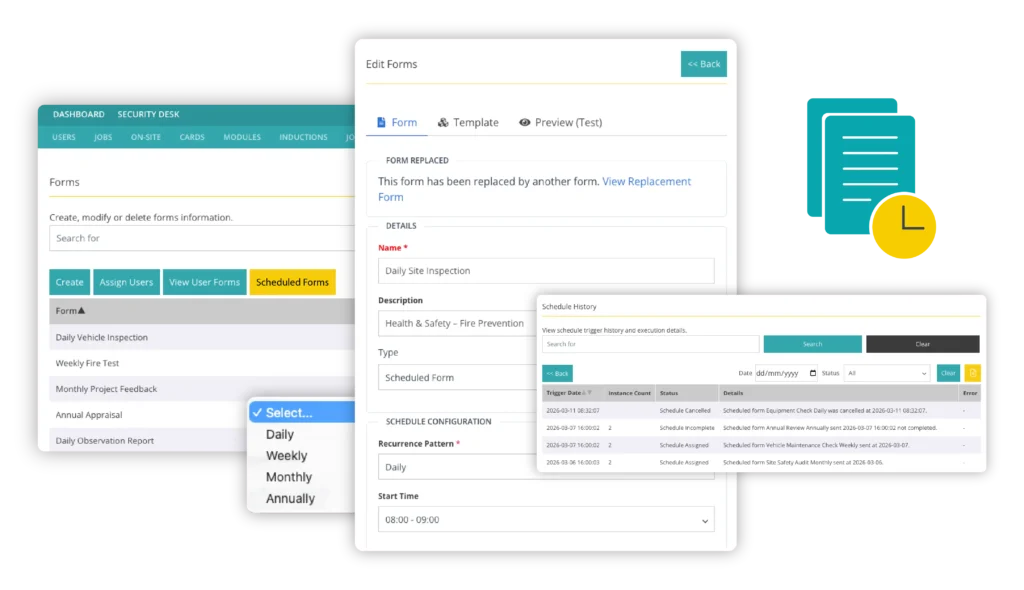
A new ‘Scheduled Form’ type has been added to the Custom Forms module, allowing admins to automatically send forms at set intervals.
Forms can now be scheduled daily, weekly, monthly or annually, and automatically assigned to the appropriate users.
This ensures that recurring checks or reports are delivered consistently without relying on manual reminders or tracking.
How it helps your team:
- Assign forms on a routine basis to ensure tasks are never missed
- Set rule types defined by job roles, departments, sites, and companies
- Improve consistency in safety reporting and operational documentation
- Reduce manual admin for recurring activities
- Maintain a clear history of scheduled forms for auditing and reporting
- Cancel or adjust schedules at any time to retain full control
Want to see how scheduled forms could support your workflows? Contact our specialists to find out more.
Automatic Archiving and Deletion
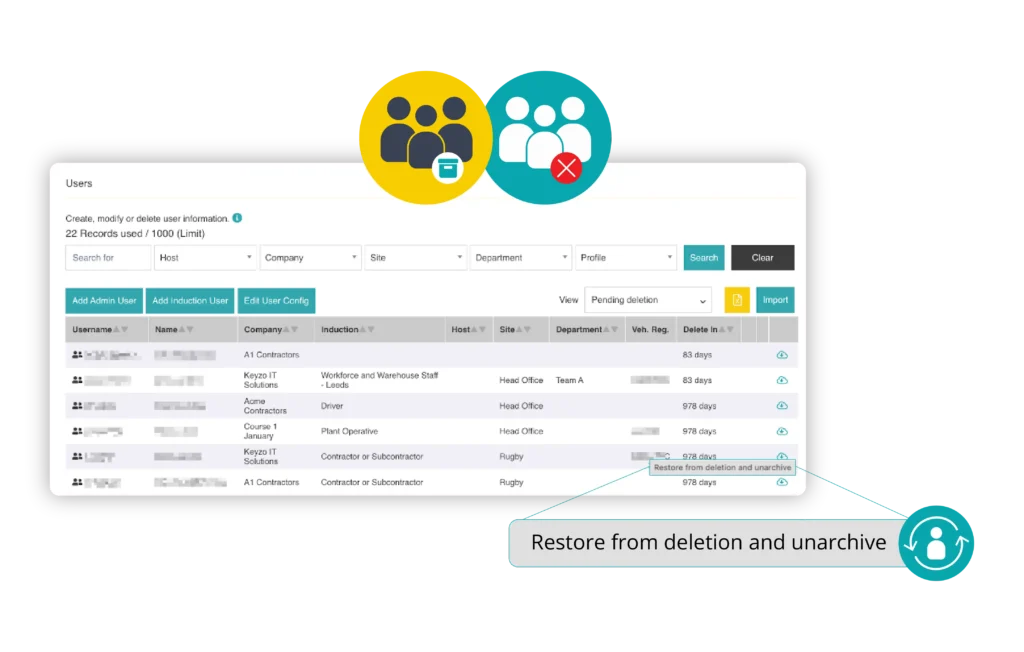
Release 26.1 introduces configurable rules for automatically archiving or deleting users who are no longer active within the system.
This helps organisations manage personal data responsibly, while ensuring the platform remains clean and organised.
The framework applies across the entire system regardless of which modules are active.
How it helps your team:
- Automatically remove inactive or unnecessary user records
- Support GDPR compliance and internal data retention policies
- Prevent the build-up of outdated or abandoned profiles
- Restore archived users within a 90-day recovery window if needed
- Maintain better control over how user data is stored and managed
Contact our team to find out how automatic archiving and deletion can improve your compliance.
User Alerts and Email Notifications
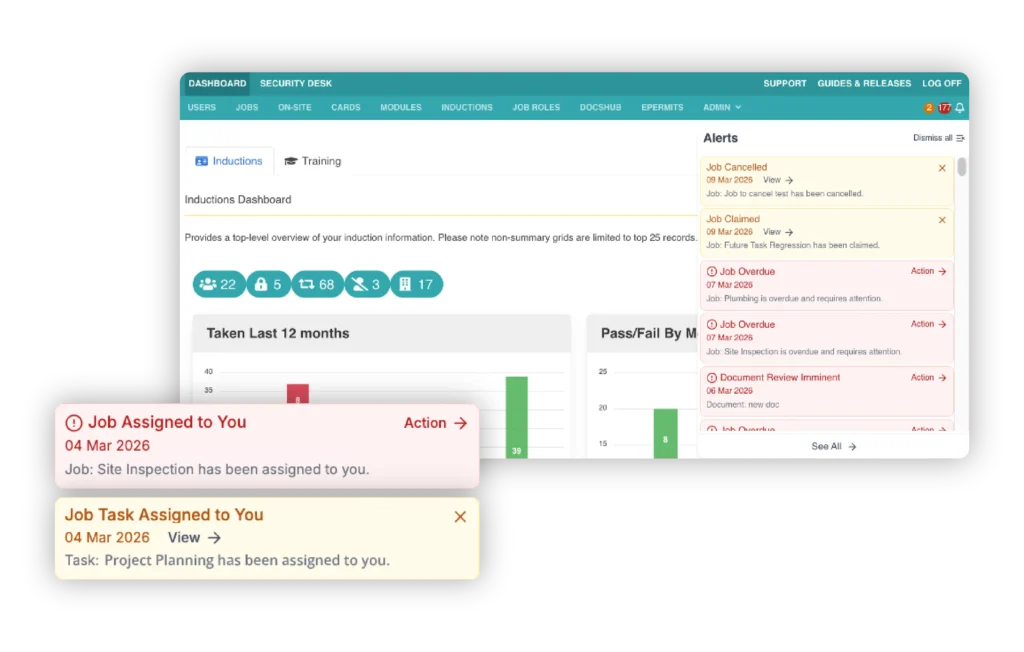
The red and amber alert system within notifications has been improved through a new rules:
- Red alerts: Indicate tasks that need immediate action and remain visible until they are completed.
- Amber alerts: Provide informational updates that users can dismiss once they have reviewed them.
This helps admins and users quickly understand when action is required.
How it helps your team:
- In-app alerts keep users informed about tasks and deadlines
- Persistent reminders for red alerts ensure critical actions are completed
- Automation means there is no need to remember to dismiss alerts after taking action
- Clear distinction between urgent and informational notifications
- Quickly access red alert actions in one click
- Admins and users can easily track task status across the system
Update within the Jobs module:
Users will now receive amber alerts for upcoming scheduled jobs, providing early visibility of assigned work.
As the task approaches and action becomes necessary, a red alert is triggered, ensuring users are prompted to complete the job on time.
This staged notification approach helps teams plan their work more effectively and avoid missed tasks.
Accessibility Improvements
As part of our ongoing commitment to accessibility, updates have been made to the modern user interface to better align with WCAG 2.2 AA accessibility standards.
How it helps your team:
- Improved readability across the platform
- A clearer and more consistent user interface
- A more accessible experience for users with visual impairments
These improvements ensure Induct & Train remains usable for a wide range of users, while supporting organisations in meeting accessibility expectations.
Want to see for yourself?
If you would like to learn more about how these new tools can support your organisation, please get in touch with our team or book a demo.


