
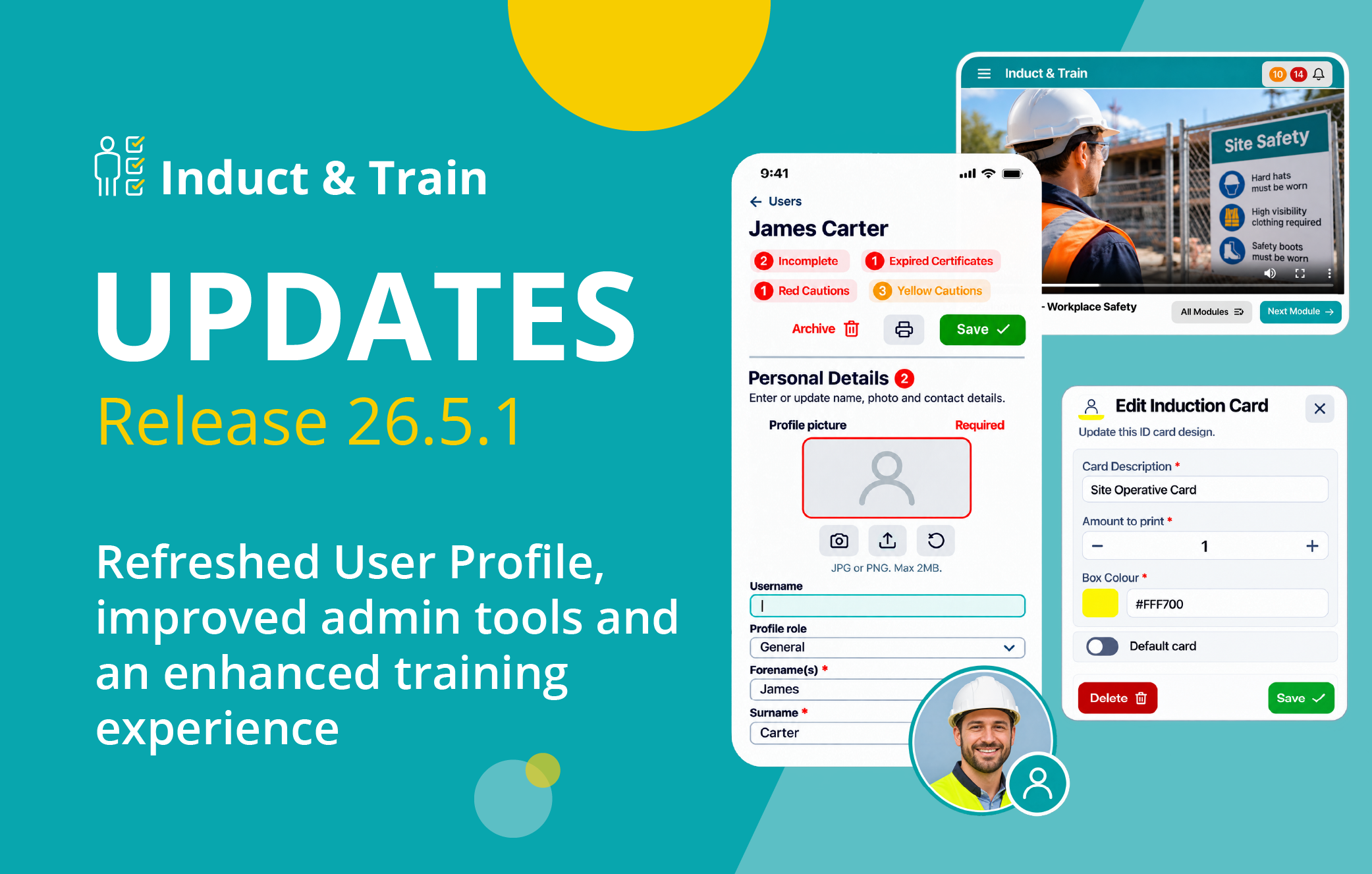
Induct & Train Release 26.5.1: User Profile Refresh, Improved Admin Tools and a Better Training Experience
We’re excited to announce that Induct & Train Release 26.5.1 is now live.
Induct & Train Release 26.5.1 brings a range of improvements designed to make workforce management, administration and training more straightforward.
From a refreshed User Profile to improved administration tools and a better training experience, this release focuses on simplifying everyday tasks and making the platform easier to navigate and use.
Discover how Induct & Train can help your team manage inductions, training and workforce compliance from one connected platform.
Jump to section:
- User Profile Improvements
- Updated On-site Management
- Distribution Lists Management
- Refreshed Email Templates
- Induction Cards Management
- Improved Video and Slide Experience
- Document Uploads and ePermit Improvements
Summary of Release 26.5.1
Release 26.5.1 brings further improvements to Induct & Train, making the platform easier to use for both administrators and users.
The refreshed User Profile makes workforce information easier to find and manage, while improved administration tools simplify tasks such as checking site attendance, managing notification lists and updating email templates.
Improvements to videos and slides also make training content easier to view and navigate across different devices.
The release also includes updates to document uploads, permissions and certificate management, along with smaller refinements to make everyday tasks easier.
User Profile Improvements
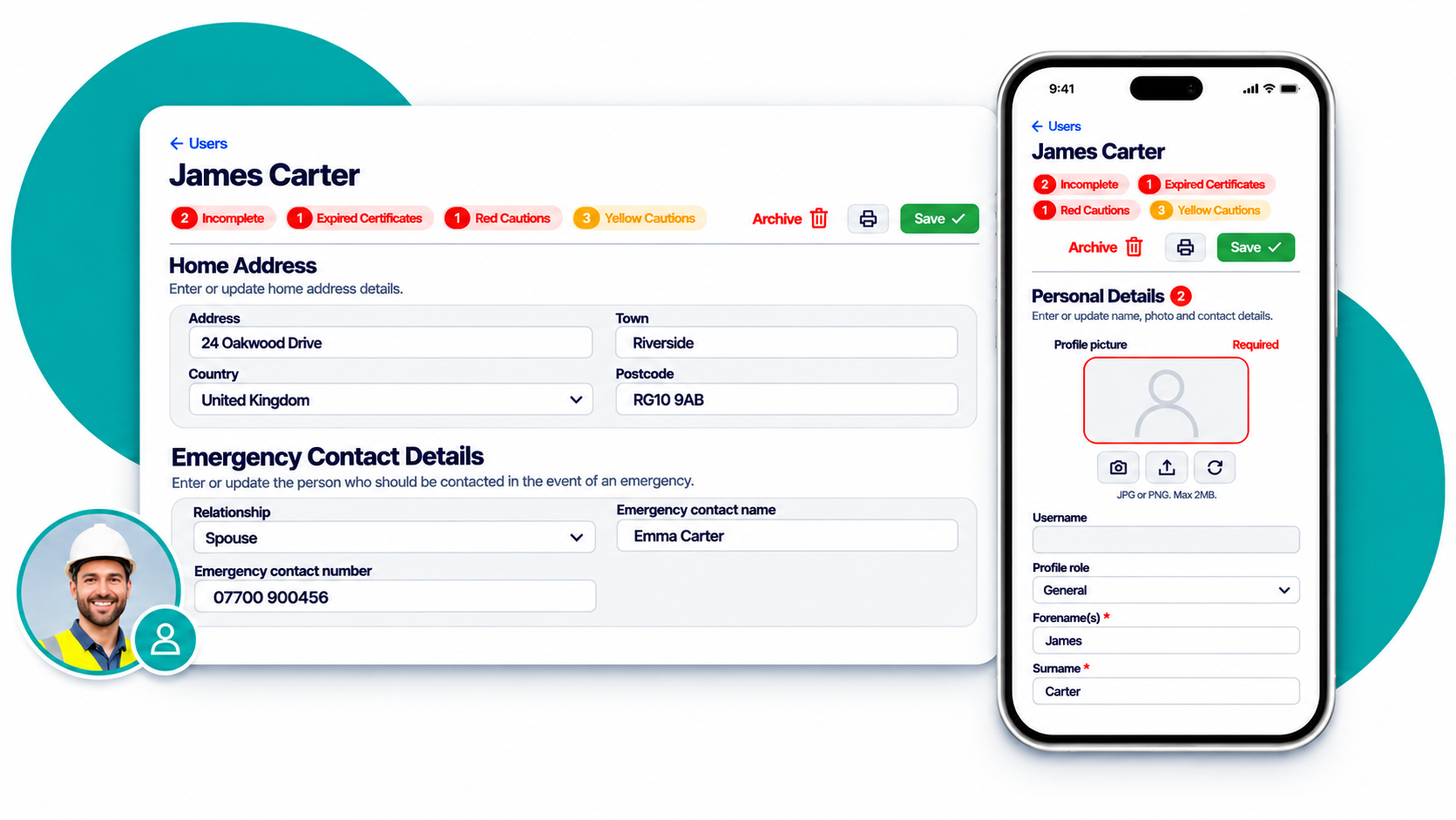
The User Profile has a refreshed look, with a clearer layout that makes it easier to find and manage important workforce information.
Personal details, employment information, emergency contacts, certificates and accreditations are organised into easy-to-navigate sections.
Updated labels and descriptions help users understand what information is needed, while helpful status indicators highlight details that may require attention.
Administrators can also manage user records through a range of profile actions, including archiving and restoring profiles, printing, and managing induction and training activities.
These updates provide a clearer, more user-friendly way to manage workforce information.
How it helps your team:
- Give employees, visitors and contractors an easier way to view and update their personal information.
- Help users navigate their profiles with clearer sections, labels and descriptions.
- Make it easier for users to see which details or certificates need attention.
- Help administrators review and manage workforce information more efficiently.
Updated On-site Management
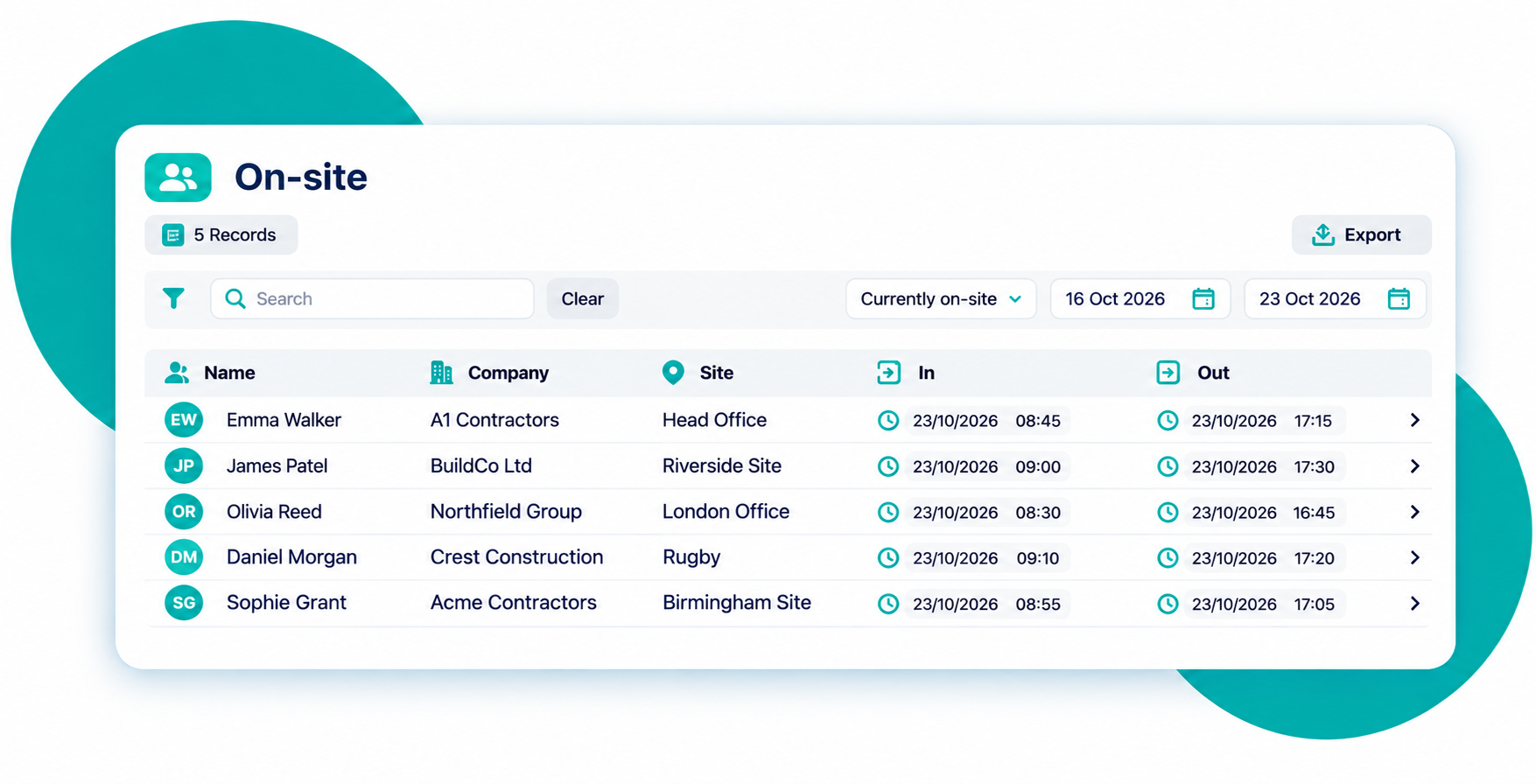
The On-site administration screen has been refreshed to provide a clearer overview of workforce presence and site activity.
The updated listing makes it easier to review who is currently on-site, monitor time spent on-site and access attendance information.
Administrators can also review audit records and planned attendance through a more consistent interface, helping teams maintain visibility of site movements and workforce activity.
How it helps your team:
- See who is currently on-site more clearly.
- Review attendance information and time spent on-site.
- Access audit history and planned attendance more easily.
- Find relevant workforce records through a more organised interface.
- Support efficient day-to-day site management.
Distribution Lists Management
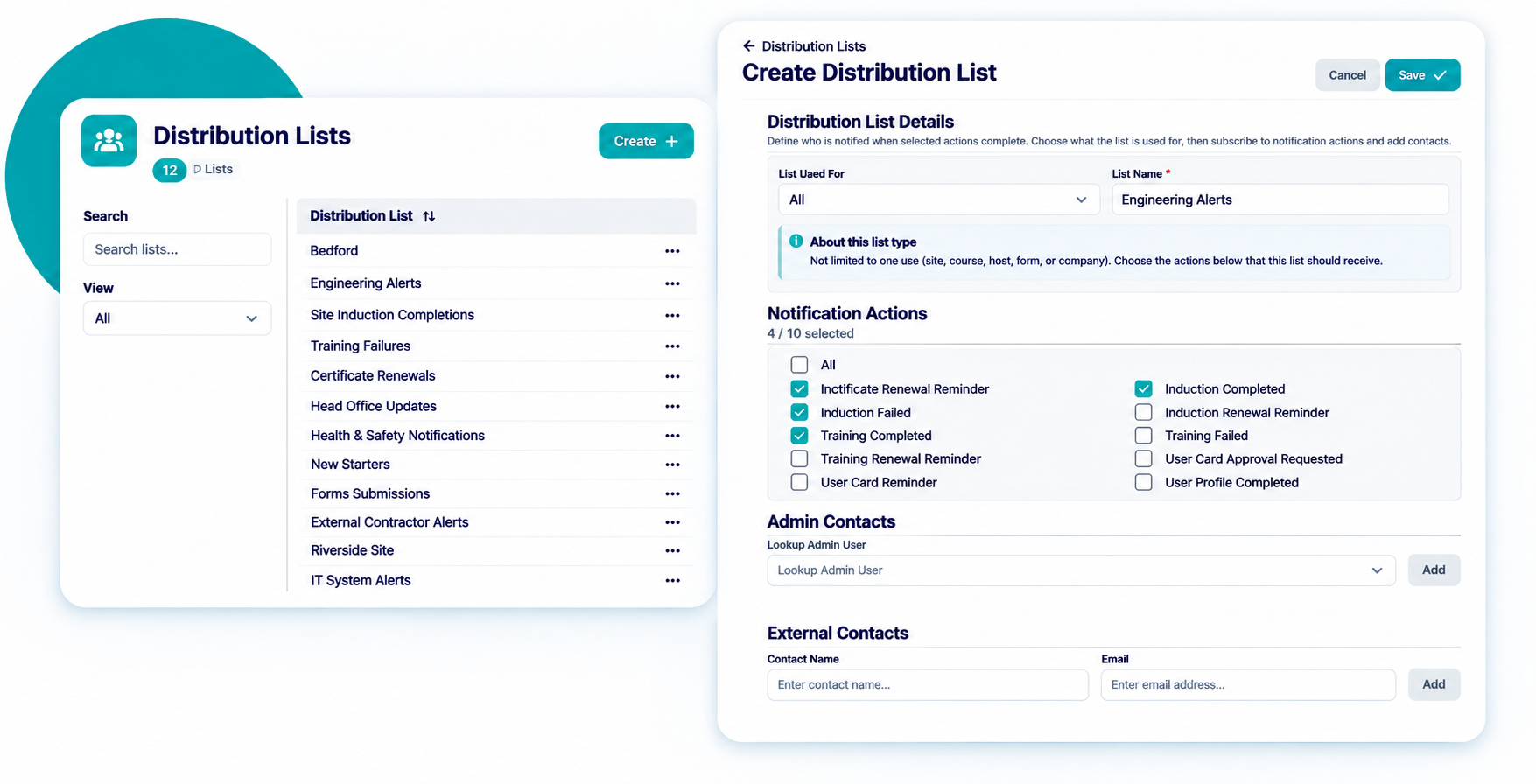
Distribution Lists help admins manage who receives notifications when specific actions take place across Induct & Train.
Release 26.5.1 introduces refreshed listing, create and edit screens, making it easier to create, review and maintain notification distribution lists.
The updated interface provides clearer visibility of notification actions, list types and recipients, while search and filtering options help administrators find existing lists more quickly.
How it helps your team:
- Find and manage existing distribution lists more easily.
- Create and edit notification lists through an updated interface.
- Manage administrator and external email recipients.
- Review notification actions more clearly.
- Maintain consistent communication across induction and training workflows.
Refreshed Email Templates
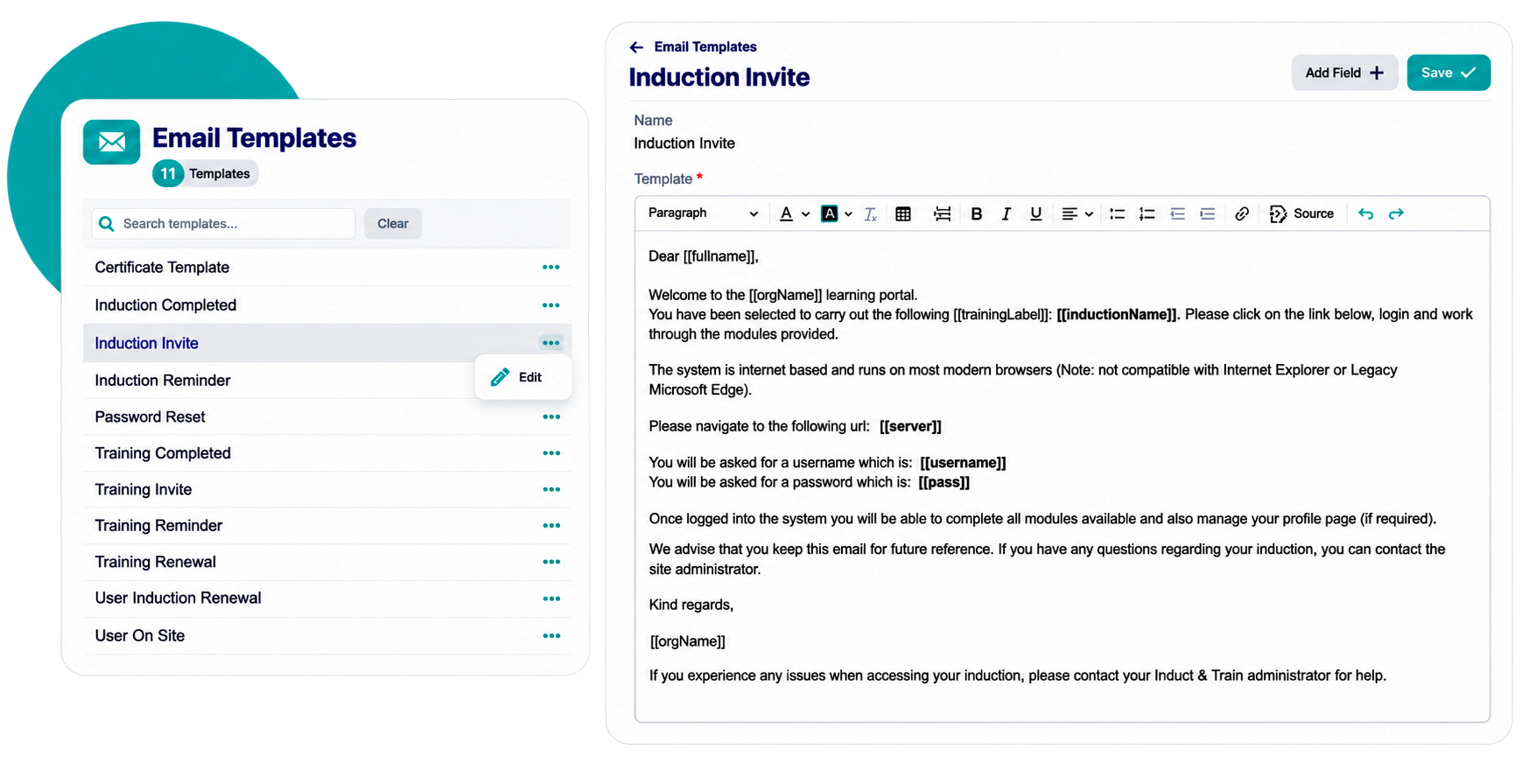
The Email Templates admin tools have also been updated, providing a more modern experience for managing system email communications.
Admins can review and edit active email template content through a refreshed interface, while existing template functionality remains in place.
How it helps your team:
- Review system email templates through an updated interface.
- Edit active template content more easily.
- Find the template you need more quickly.
- Benefit from a more consistent admin experience.
Induction Cards Management
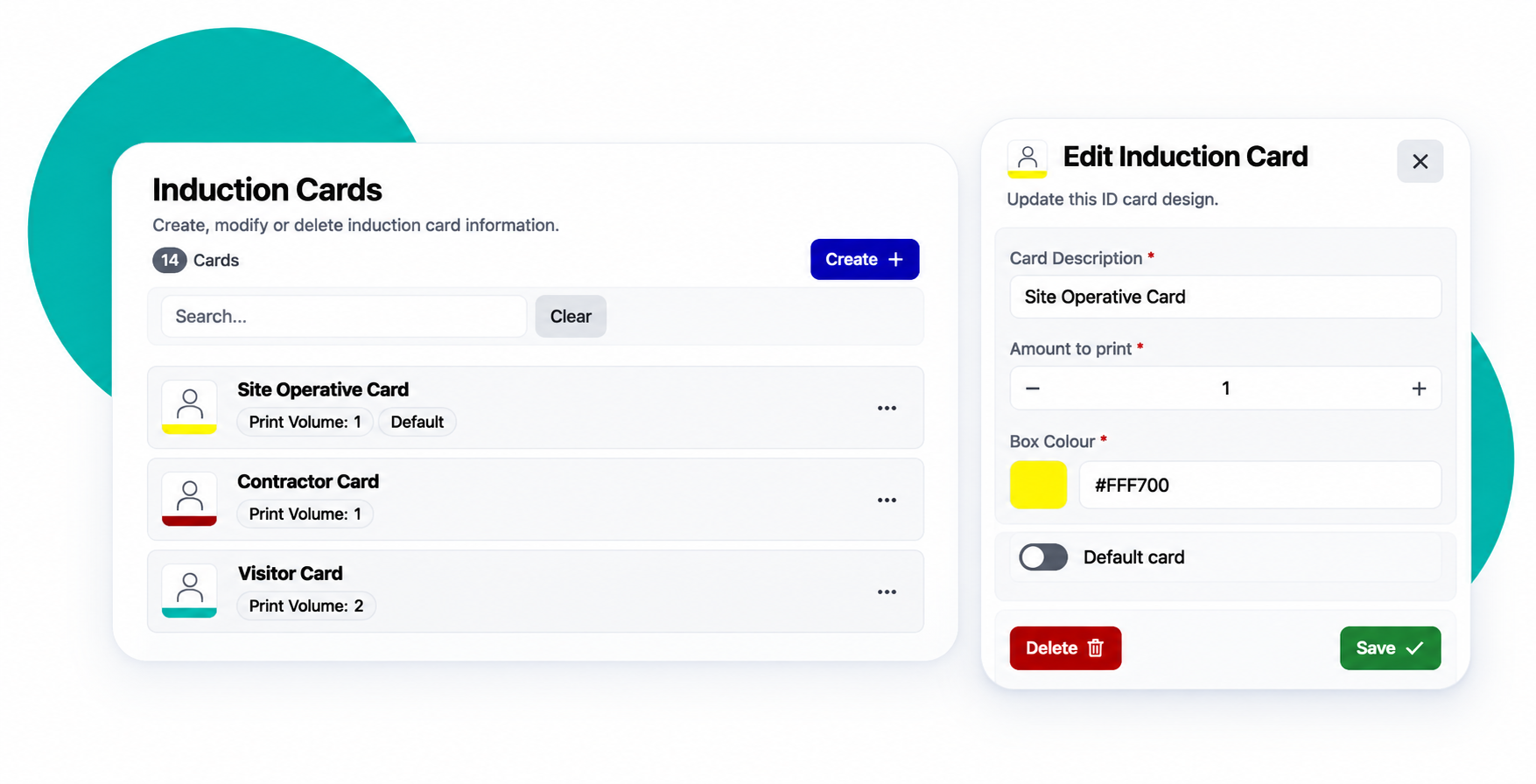
The Induction Cards admin tool has been refreshed, making it easier to manage the designs and settings used when printing induction ID cards.
Admins can review existing card setup through a searchable list, with key information such as print quantities, box colours and default card settings displayed clearly.
The updated create and edit screens also make it easier to maintain card descriptions, adjust the number of copies printed and manage the default card design.
How it helps your team:
- Find existing induction card designs more easily.
- Manage print quantities and card colours.
- Update default card settings through a clearer interface.
- Create and edit card setup more efficiently.
- Maintain consistent ID card printing across your organisation.
Improved Video and Slide Experience
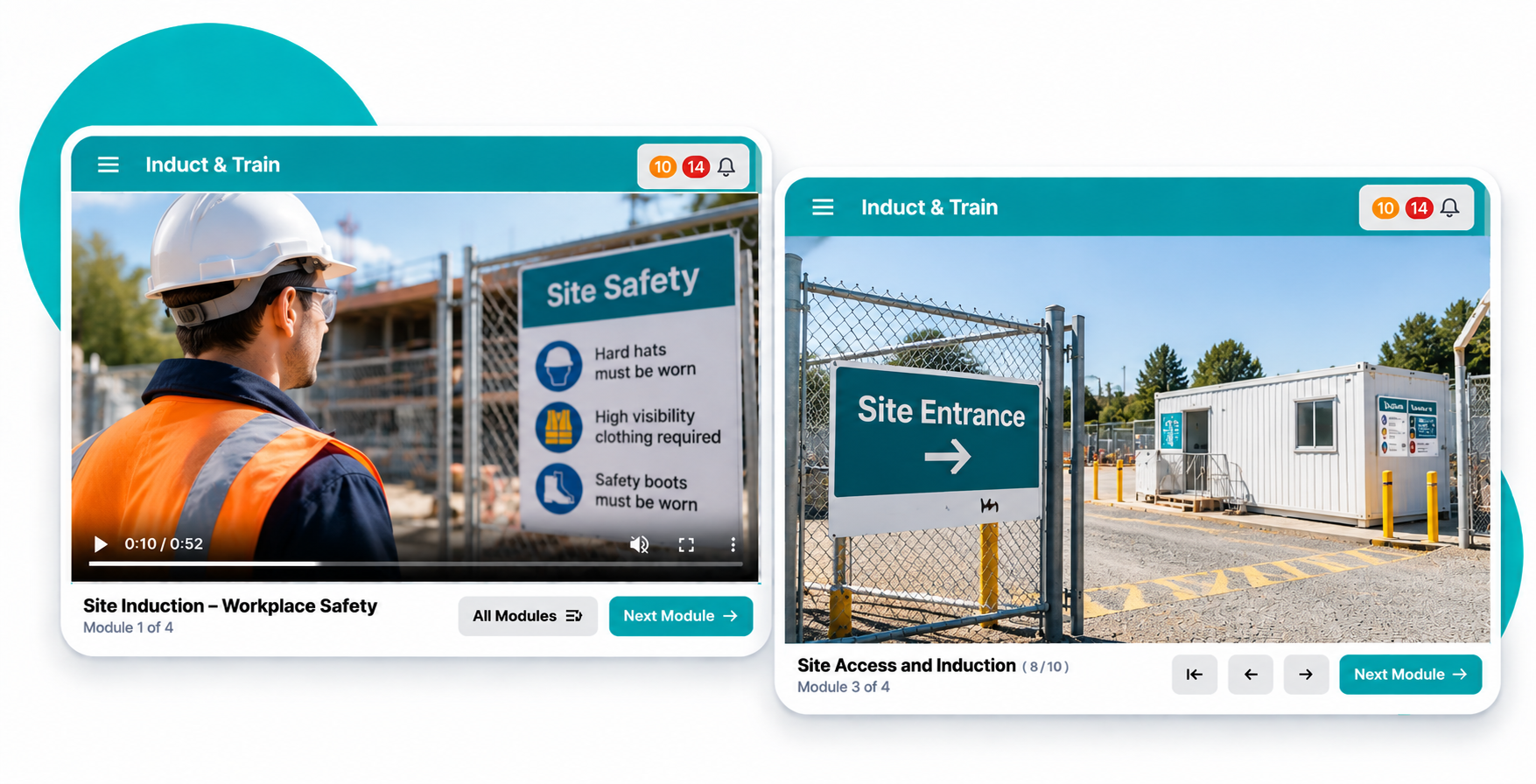
Videos and slides within induction and training modules now offer an enhanced viewing experience across desktop and mobile devices.
The layout adapts to different screen sizes, helping users focus on their training content wherever they’re accessing it.
Slide navigation also includes handy features such as a slide counter, keyboard shortcuts and additional controls, making it easier to move through training materials.
A Next Module button helps users continue to the next part of their induction or training.
How it helps your team:
- Enjoy a clear and comfortable viewing experience across different devices.
- Navigate training slides with handy controls and keyboard shortcuts.
- Keep track of progress with the slide counter.
- Move easily between induction and training modules.
Document Uploads and ePermit Improvements
Managing supporting documents is an important part of keeping workforce and site records organised.
Induct & Train now offers more flexibility when adding documents to forms, allowing users to upload supporting files alongside images.
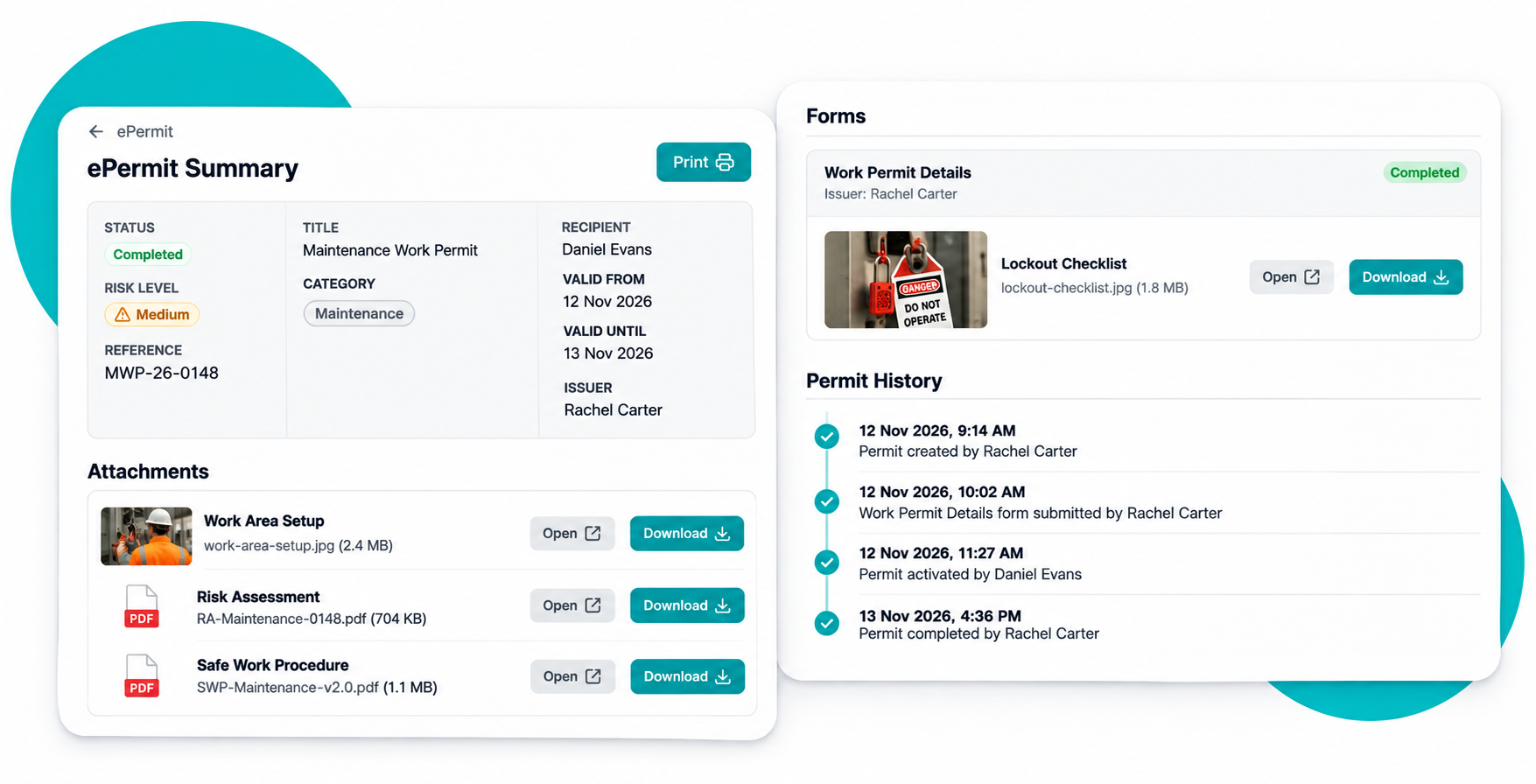
ePermit summaries also make it easy to review important permit details, completed forms and supporting documents in one place. Users can print or save summaries as PDFs, making it convenient to keep records for future reference.
Additional file formats are also supported for Company certificate uploads, giving teams more flexibility when managing their documents.
How it helps your team:
- Manage certificates with more flexibility when uploading files.
- Add supporting documents and images to relevant forms.
- View permit details, completed forms and attachments in one place.
- Print or save ePermit summaries for record-keeping.
Want to see what’s new?
Induct & Train Release 26.5.1 brings practical improvements that help organisations manage workforce information, site attendance, notifications and training more efficiently.
With a clearer User Profile experience, refreshed administration tools and improved content presentation, this release continues to make everyday workforce management simpler and more consistent.
If you’d like to explore the latest improvements or see how Induct & Train could support your organisation, speak to our team or book a demo.


