
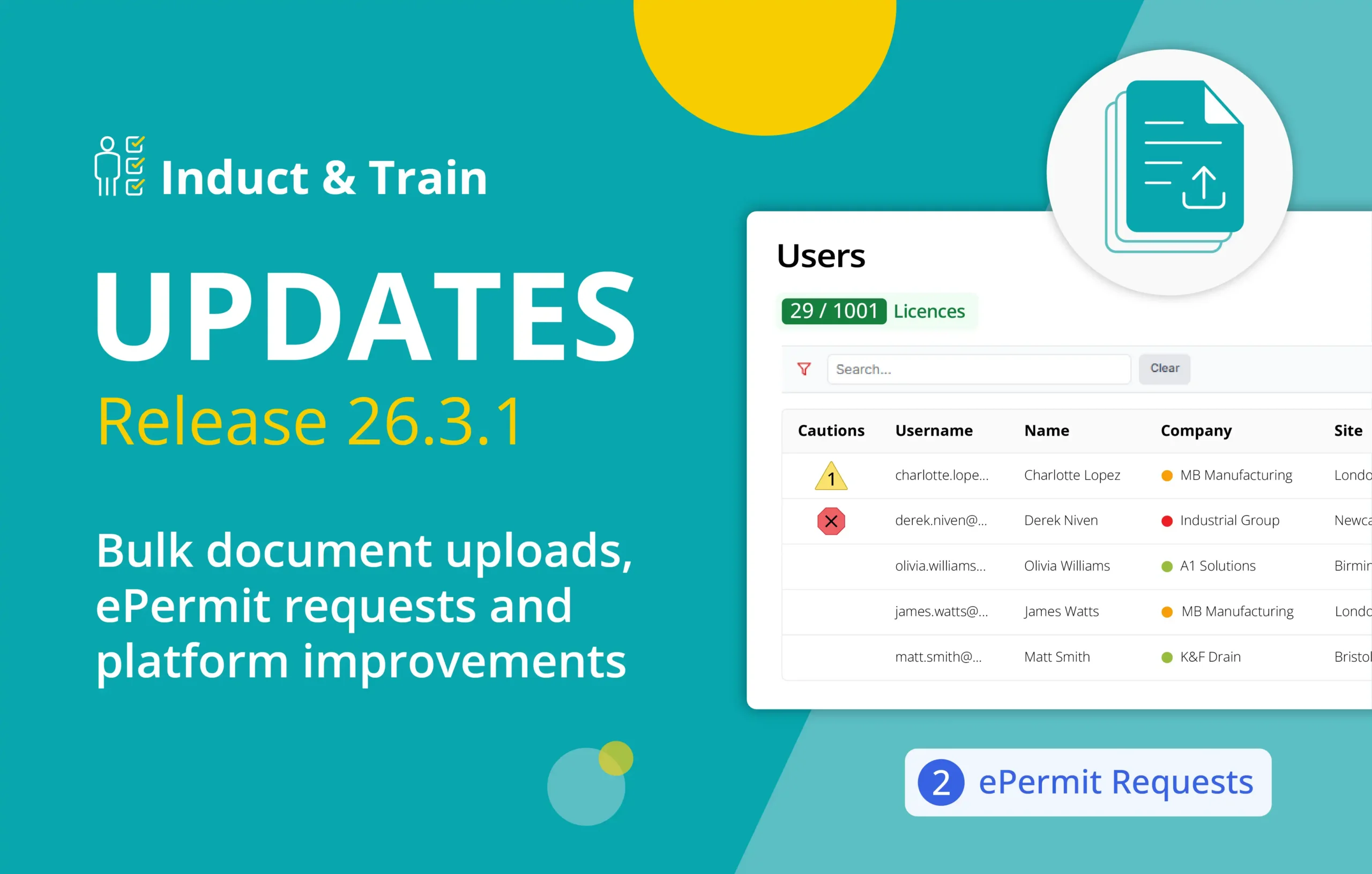
Induct & Train Release 26.3.1: New ePermit Workflows, Bulk Uploads and Platform Improvements
We’re excited to announce that Induct & Train Release 26.3.1 is now live.
This release introduces new ways to simplify everyday admin, improve document management and give teams greater visibility across their compliance processes.
Discover how Induct & Train can help your team manage inductions, training and compliance more efficiently.
Jump to section:
- Updated Custom Forms module
- Bulk document uploads in DocsHub
- Enhanced ePermit to Work requests
- Upgrading the user experience
Summary of Release 26.3.1
This release focuses on making everyday tasks simpler for admins and users across Induct & Train.
Admins can manage large document libraries more efficiently, while new ePermit workflows make it easier for users to request permits through a controlled process.
Several key areas of the platform have also been updated with a more consistent and user-friendly design. Custom Forms, Companies, Users, and Cautions (previously Red & Yellow Cards) have been upgraded for a better experience across the platform.
Updated Custom Forms module
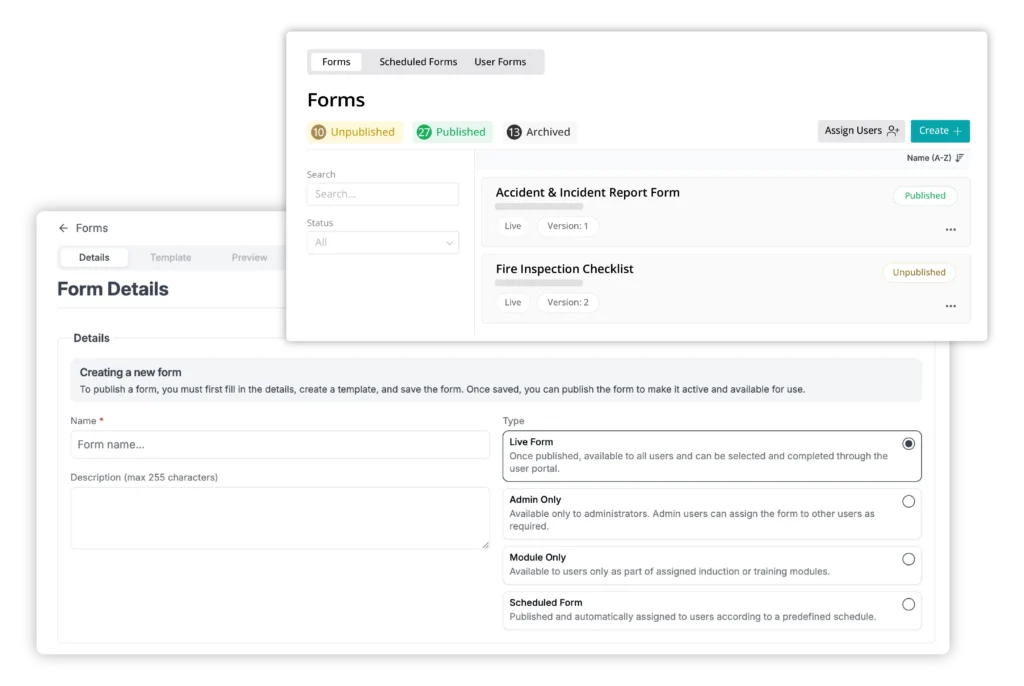
The Custom Forms module has been updated with the latest Induct & Train design, creating a simpler and more consistent way to manage forms.
For admins who regularly manage forms, this creates a more familiar and consistent way to complete everyday tasks.
How it helps your team:
- Manage forms through a clearer, more intuitive interface
- Create and edit forms with clear description types and controls
- Manage scheduled forms and assignments more easily
- Reduce the need to switch between different platform interfaces
- Make frequent admin tasks simpler to navigate
Bulk document uploads in DocsHub
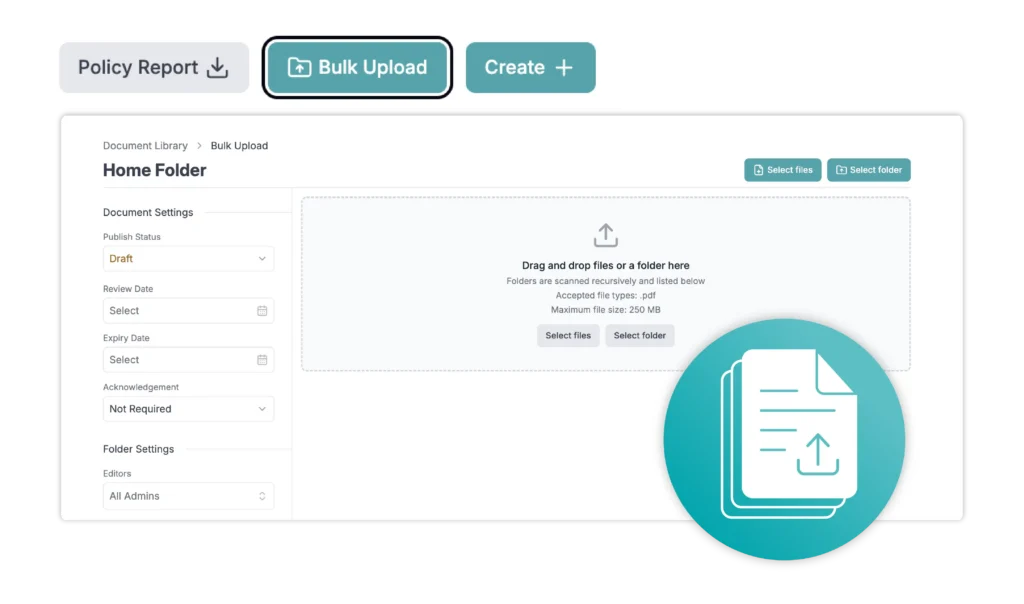
Uploading a large number of documents shouldn’t be a significant task. That’s why we’ve introduced bulk upload support to our DocsHub document library module.
This helps teams get started faster without having to upload every document individually, freeing up valuable time for other important compliance tasks.
How it helps your team:
- Upload hundreds of documents in one go
- Apply default governance settings during onboarding
- Get clear progress updates from file uploads
- Easily identify and correct failed uploads
Enhanced ePermit to Work requests
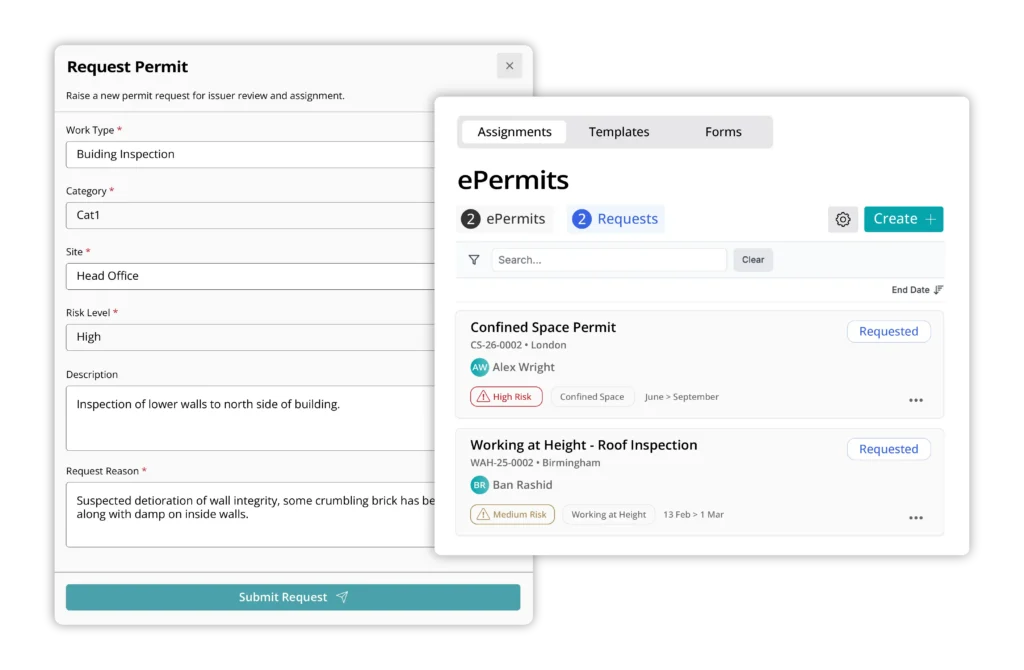
Release 26.3.1 gives end users a clearer way to raise permit requests through a controlled approval process.
Admins can then claim, review and process those requests within the existing ePermit workflow. This allows permit requests to start closer to the point of work, while keeping review and approval under admin control.
How it helps your team:
- Allow end users to raise permit requests
- End users can cancel an ePermit request if needed
- Admins can mark an ePermit template available for a request
- Track, approve and reject incoming ePermit requests or cancellations
Upgrading the user experience
We’re continuing to improve accessibility across Induct & Train, helping more users navigate the platform easily.
In this release 26.3.1, we have focused on improving the usability for keyboard-only users, as well as creating a more inclusive product experience.
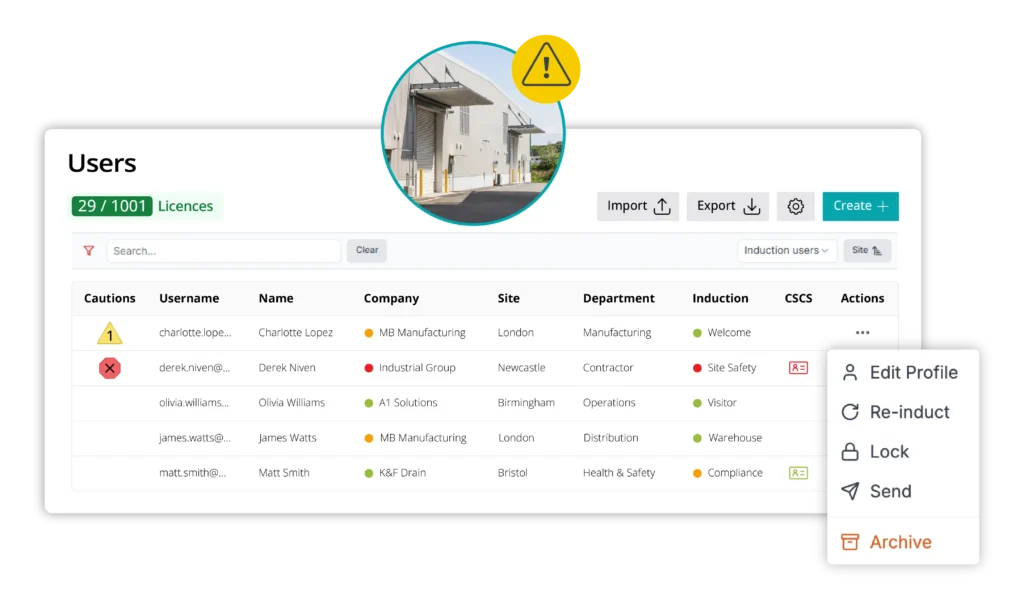
User listing and company RAG status
Admins now have clearer visibility of user and company compliance information, with improved filtering, exports and status indicators.
Alongside users’ compliance status, a new company RAG status column shows whether required company certificates are valid, approaching renewal or expired.
A caution status column has also been added so that admins can see user compliance in real-time.
How it helps your team:
- Easily find user information across a large database
- Reduce manual cross-checking between user and company records
- Company RAG status included in user exports for accurate auditing
- View inductions, training and company compliance at a glance
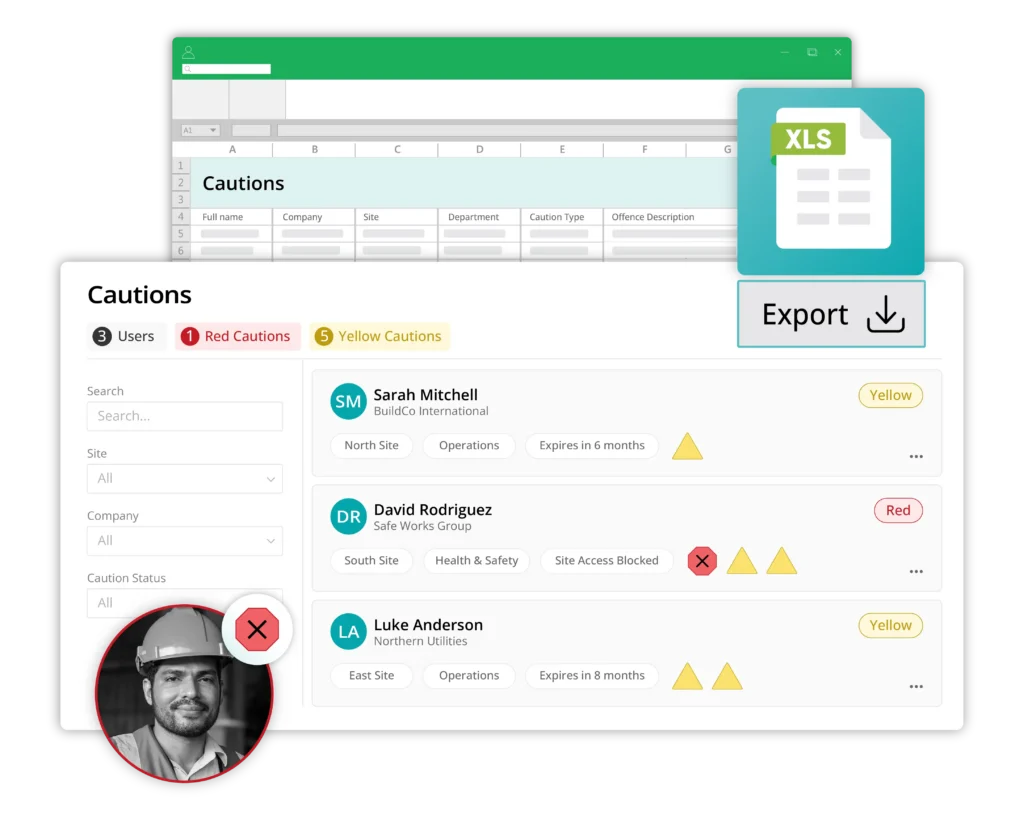
Cautions (previously Red & Yellow Cards)
The Cards module has been renamed to Cautions and updated with a clearer layout, making it easier to view and manage user caution information.
A new export button allows admins to quickly export caution data to support audits, compliance checks and reporting.
How it helps your team:
- Clear icons make it easier to identify red and yellow caution statuses
- Admins can now filter users by caution status
- Export information for operational follow-up and reporting
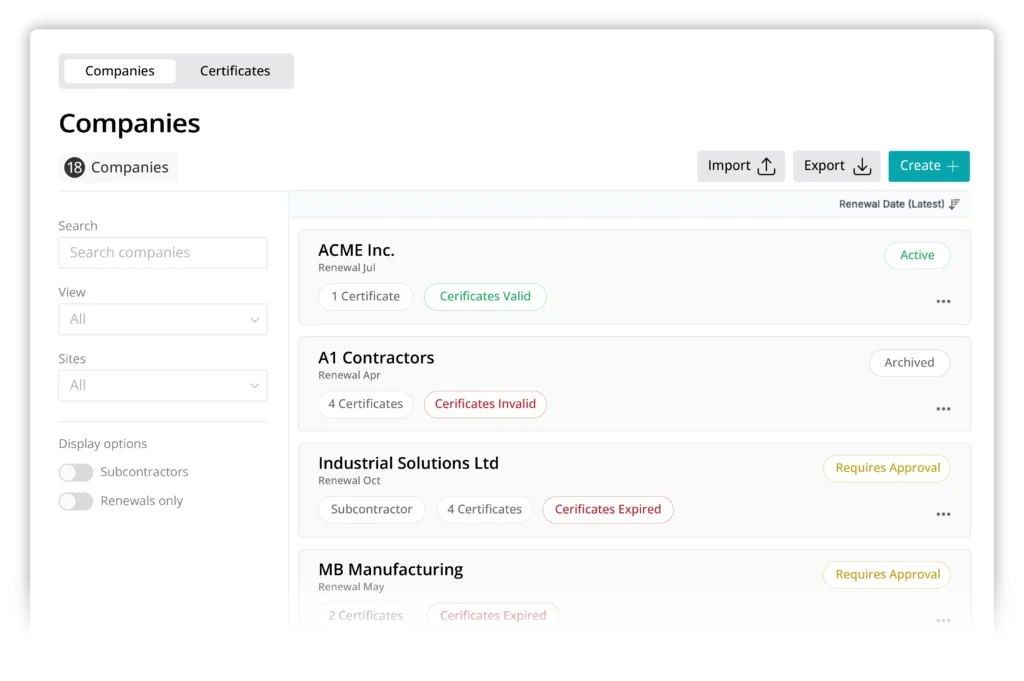
Companies module update
The updated experience includes refreshed listing views, improved layout consistency and alignment with current design patterns across the admin interface.
This update also provides the foundation for future improvements to contractor and supplier management.
Want to see what’s new?
Release 26.3.1 introduces practical updates that help teams manage everyday compliance tasks more efficiently. With clearer workflows and improved visibility across the platform.
If you’d like to explore the latest features or see how they could support your organisation, speak to our team or book a demo.


