Task Management Software | Induct & Train

Jobs Management

Induct & Train Jobs Management module

Key features

Assign one-off or routine jobs for employees and contractors
Control who can undertake jobs based on roles, training and department requirements
Track work from assignment through to completion with real-time reporting
Induct & Train Jobs Management module - Keep safety-critical tasks on track

Keep safety-critical tasks on track

Standardise how work is planned, scheduled and organised across every site and location.
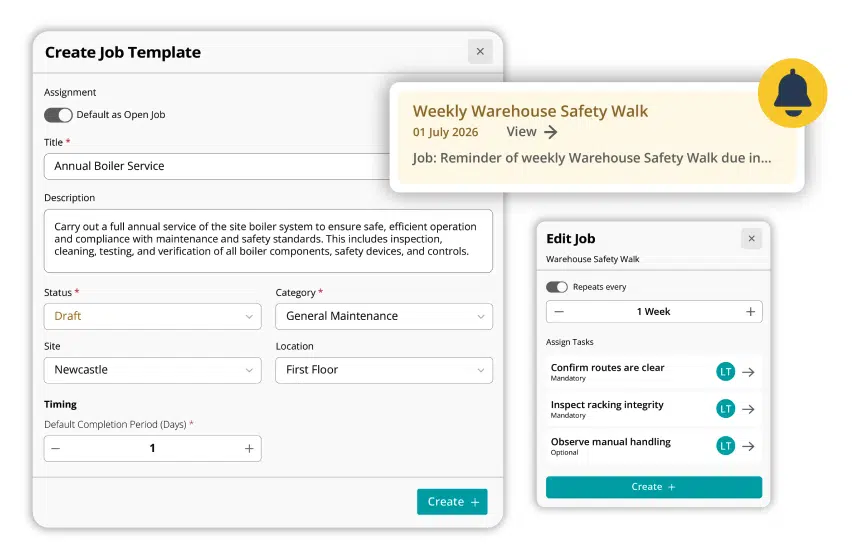
Create reusable job templates and custom categories for 
regular inspections or maintenance

Schedule one-off or recurring jobs with automated reminders

Break larger activities into manageable sub-tasks while 
maintaining overall oversight

Induct & Train Jobs Management module - Keep safety-critical tasks on track
Induct & Train Jobs Management module - Control who can carry out work

Control who can carry out work

Ensure that important work is only carried out by people with the right training and competency requirements.
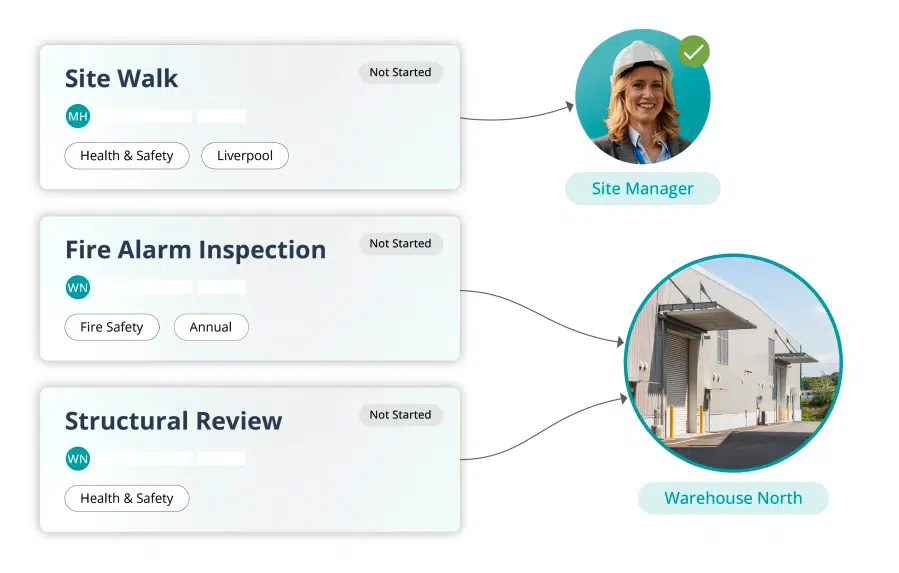
Restrict eligibility based on job roles, training records,
inductions or department membership

Assign jobs to specific sites, buildings or work areas

Directly assign jobs to individuals or teams where greater
control is required

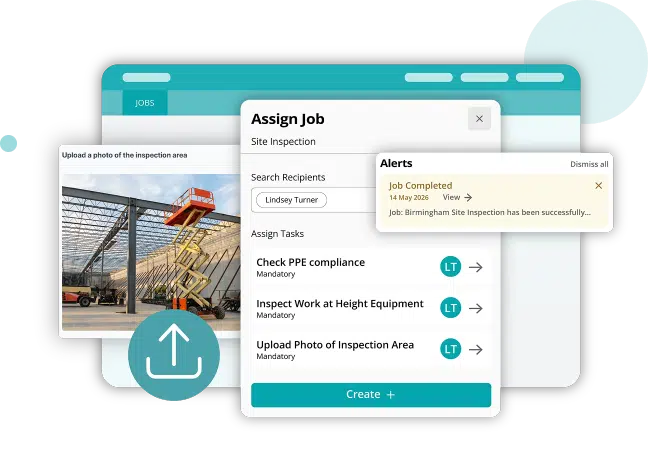
Allow qualified workers to self-assign to open jobs, or be notified automatically when suitable tasks become available

Induct & Train Jobs Management module - Improve accountability for completed jobs

Improve accountability for completed jobs

Gain confidence that work has been completed correctly to support compliance reviews and investigations.
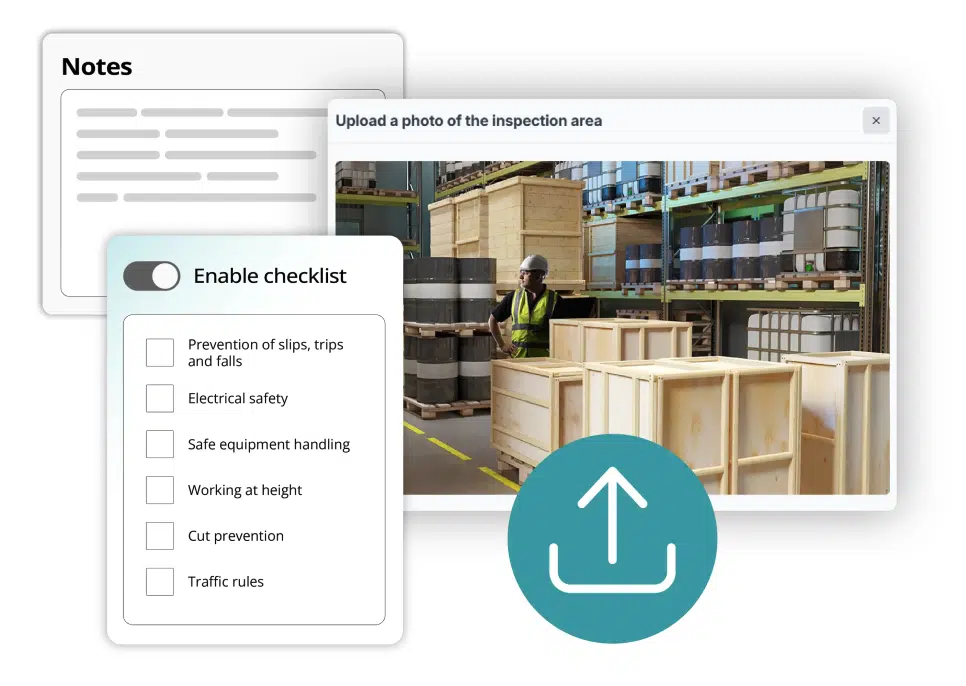
Require checklist completion before closing a job

Collect written notes and observations

Request photo uploads to evidence jobs such as repair 
work and installations

Induct & Train Jobs Management module - Improve accountability for completed jobs
Induct & Train Jobs Management module - Maintain oversight across every location

Maintain oversight across every location

Monitor work activity without relying on spreadsheets, emails or manual follow-up.

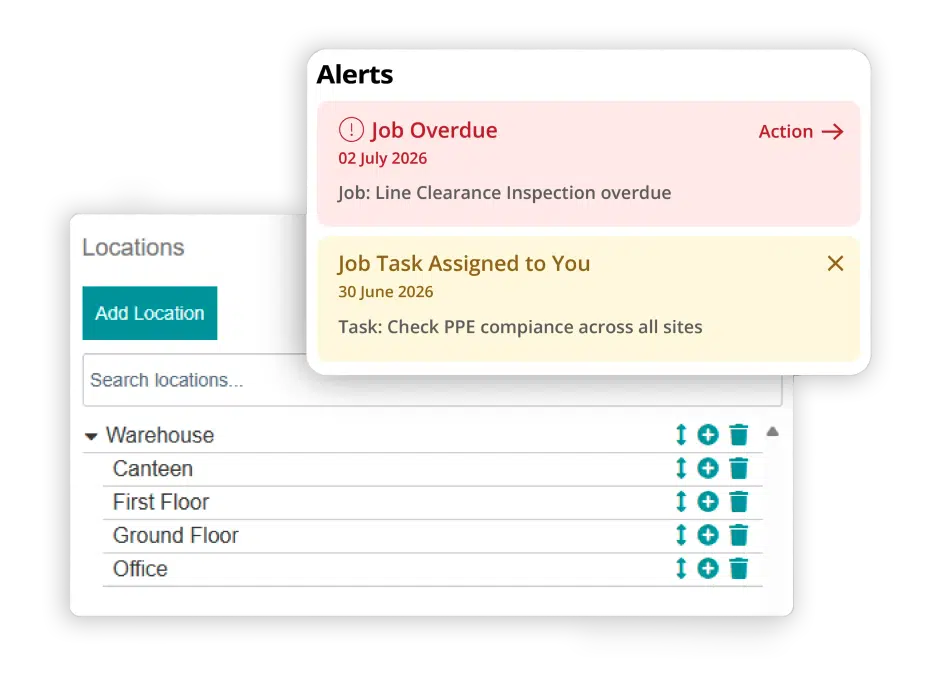
Track upcoming, completed and overdue jobs

Report by site, location, date, job type or individual

Receive automated notifications when jobs are assigned, completed or overdue

Maintain a clear audit trail of all job activity

Connect your modules

Jobs integrates with other Induct & Train modules to help ensure the right work is carried out by qualified employees and contractors.

See Induct & Train in action

Bring structure, consistency and control to your workforce compliance.

Let's get started...

Whether you are simply looking around or doing some serious research, getting in touch is the first step to find out more about our innovative software solutions.

Get in touch Contact us View Brochure View the Keyzo Brochure Request a Demo Get a demo of Induct & Train or Read & Sign

Improve your Staff Inductions & Compliance

Fill out the form below and one of our specialists will get back to you shortly…

    Supporting your journey…

    40 Countries

    Our software is used by companies globally, in more than 40 countries.

    99.95% Uptime

    With a 99.95% uptime guarantee, we prioritise your support.

    24/7 Support

    On call 24/7 tech support to ensure you’re always up and running.

    Frequently asked questions

    What types of work can be managed using the Jobs management module?

    The module can be used for inspections, maintenance activities, corrective actions, routine checks and other planned or reactive work across sites.

    Can recurring jobs be scheduled automatically?

    Yes. Jobs can be configured as one-off tasks or scheduled to repeat at defined intervals with automated reminders.

    How does the system ensure the right people complete jobs?

    Eligibility rules can be applied using job roles, completed training, inductions and department membership before a user can take on a job.

    Can jobs be assigned to contractors?

    Yes. Jobs can be assigned to employees or contractors, provided they meet the required eligibility criteria.

    What information can be captured when work is completed?

    Administrators can require checklists, written notes, photo uploads or a combination of evidence before a job is marked as complete.

    Let's get started...

    Whether you are simply looking around or doing some serious research, getting in touch is the first step to find out more about our innovative software solutions.

      Download our brochure