Online Induction & Contractor Management Software | Keyzo

Notifications & Alerts

Induct & Train Notifications & Alerts Module

Key features

Make time-critical actions immediately visible to both admins and users
Ensure individuals only receive the information relevant to them
Reduce manual admin with automated, in-app notifications or emails
Induct & Train Notifications & Alerts Module - Stay Ahead of Compliance Deadlines

Stay ahead of
compliance deadlines

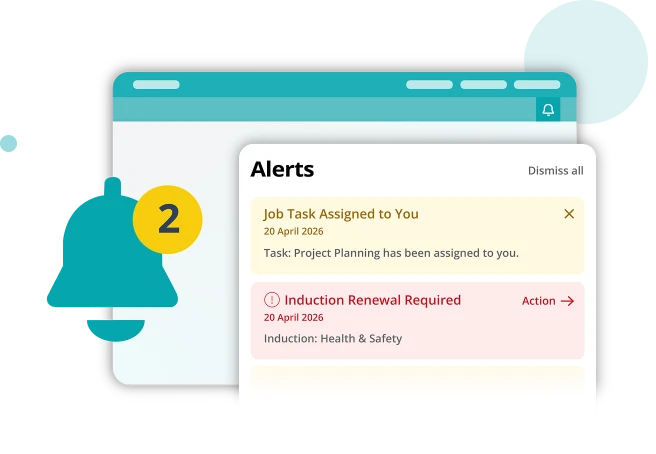
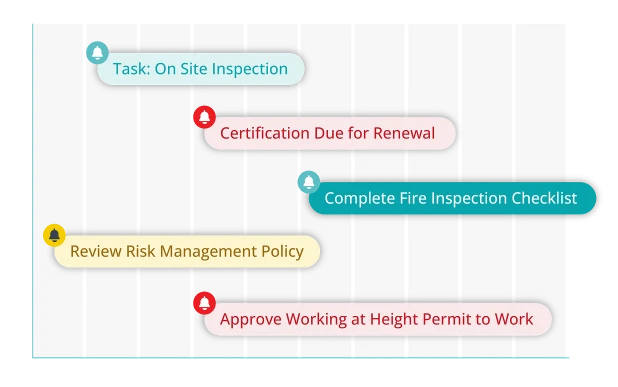
Avoid missed renewals and overdue actions with automated notifications that trigger when training, certifications, tasks, or important documents and forms require attention.
Send reminders for upcoming renewals and expiring certifications

Reduce the amount of time manually chasing employees and
contractors for important information

Keep permit to work reviews and approvals on track

Induct & Train Notifications & Alerts Module - Stay Ahead of Compliance Deadlines
Induct & Train Notifications & Alerts Module - Improve accountability across your workforce

Improve accountability across your workforce

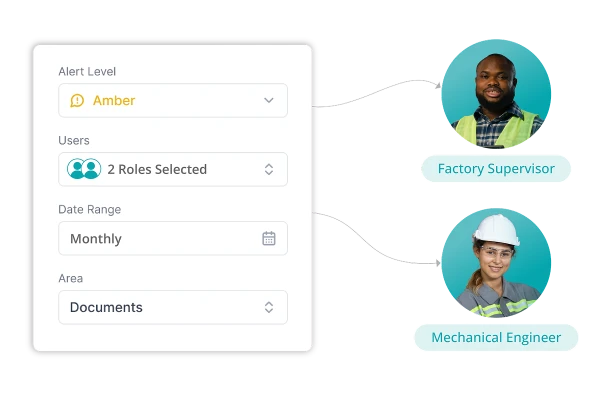
Target notifications by role, department, site or responsibility, 
helping employees, contractors and managers stay on top of 
their responsibilities.
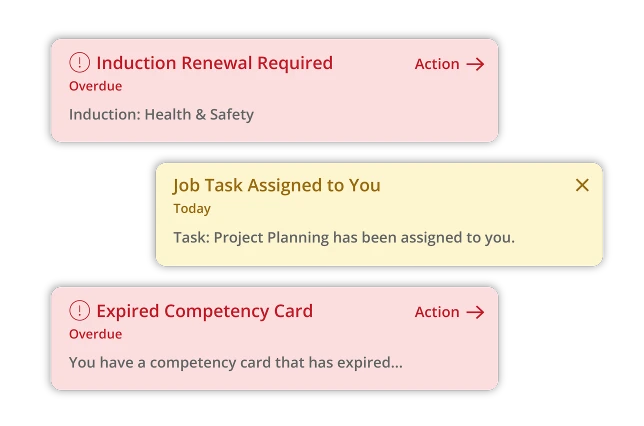
Automatically direct tasks and updates to the people responsible

Communicate with the right people at the right time

Induct & Train Notifications & Alerts Module - Detect critical issues at a glance

Detect critical
issues at a glance

Red and amber alerts help users quickly understand which actions need immediate attention.
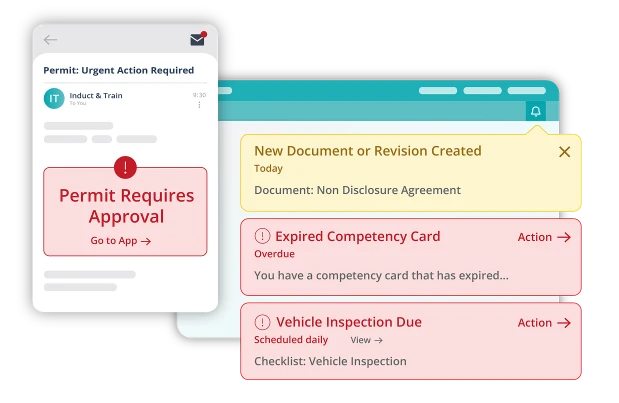
Instantly highlight time-critical actions with red alerts that will stay until complete

Set amber alerts to indicate less urgent day-to-day reminders and notifications

Induct & Train Notifications & Alerts Module - Detect critical issues at a glance
Induct & Train Notifications & Alerts Module - Increase visibility
and response times

Increase visibility
and response times

Notifications can be delivered through email and in-app alerts, helping teams respond quickly wherever they are working.

Improve response times across multiple sites and departments

Easily communicate with remote and field-based workers

Evidence compliance with a full audit trail of notifications and actions

Schedule alerts during operational hours to improve visibility and reduce the risk of missed actions

Connect your modules

Use Notifications & Alerts with other parts of the system to automatically keep people informed across your compliance process.

See Induct & Train in action

Bring structure, consistency and control to your workforce compliance.

Let's get started...

Whether you are simply looking around or doing some serious research, getting in touch is the first step to find out more about our innovative software solutions.

Get in touch Contact us View Brochure View the Keyzo Brochure Request a Demo Get a demo of Induct & Train or Read & Sign

Improve your Staff Inductions & Compliance

Fill out the form below and one of our specialists will get back to you shortly…

    Supporting your journey…

    40 Countries

    Our software is used by companies globally, in more than 40 countries.

    99.95% Uptime

    With a 99.95% uptime guarantee, we prioritise your support.

    24/7 Support

    On call 24/7 tech support to ensure you’re always up and running.

    Frequently asked questions

    What can trigger a notification?

    Notifications can be triggered by training renewals, expiring certificates, completed forms, document updates, incidents and other key activities.

    Can I choose who receives alerts?

    Yes. Notifications can be sent to specific roles, departments, sites or individual users.

    How do users receive notifications?

    Notifications can be sent by email and through alerts within the web-based application.

    What are red and amber alerts?

    Amber alerts provide advance warning of upcoming actions. Red alerts highlight urgent issues that need immediate attention.

    Can contractors receive notifications?

    Yes. Contractors can receive relevant notifications based on their role, site access or assigned responsibilities.

    Let's get started...

    Whether you are simply looking around or doing some serious research, getting in touch is the first step to find out more about our innovative software solutions.